
The safest way to identify a vinyl single, EP or 12-inch release is to treat format as several clues, not one measurement. Measure the disc, read the label, note the speed and track list, then compare the sleeve, catalog number and runout on both sides. A seven-inch record is often a single, but diameter does not prove speed, purpose or release type. An LP is a catalog format, while “album” is a marketing description.
DiscSnap can provide a candidate from a cover or label photograph. Its current iPhone listing also mentions photographing an LP, single or sleeve. The Google Play listing documents cover and label identification. Those listings do not establish that every size or format is recognized, so use any result as a starting point and verify the physical copy before saving it as confirmed.
What do single, EP, LP and 12-inch mean?
These labels overlap in everyday speech. A single usually centers on one main track and a small number of tracks; an EP is longer than a single but shorter than a conventional album. A 12-inch release describes the disc size and may be a single, EP, maxi-single, remix or album. A 7-inch can carry an album excerpt, a two-track single or a small promotional release.
Discogs’ format guidelines separate the physical carrier, quantity and format descriptions. They also explain that “LP” denotes a 12-inch, 33 rpm long-playing format in their database; it does not automatically mean “album”. Use the physical release in front of you as the primary evidence.
| Clue | What it tells you | What it cannot prove |
|---|---|---|
| Diameter | Approximate physical size | Speed, genre or whether it is a single |
| Label text | Catalog number, speed, track titles and credits | That a database match is your exact pressing |
| Track count and duration | How the release is structured | A universal single/EP threshold |
| Sleeve and packaging | Marketed format and included material | That the disc inside matches the cover |
| Runout inscription | A cut or manufacturing clue | Condition, value or authenticity alone |
Measure the record without guessing
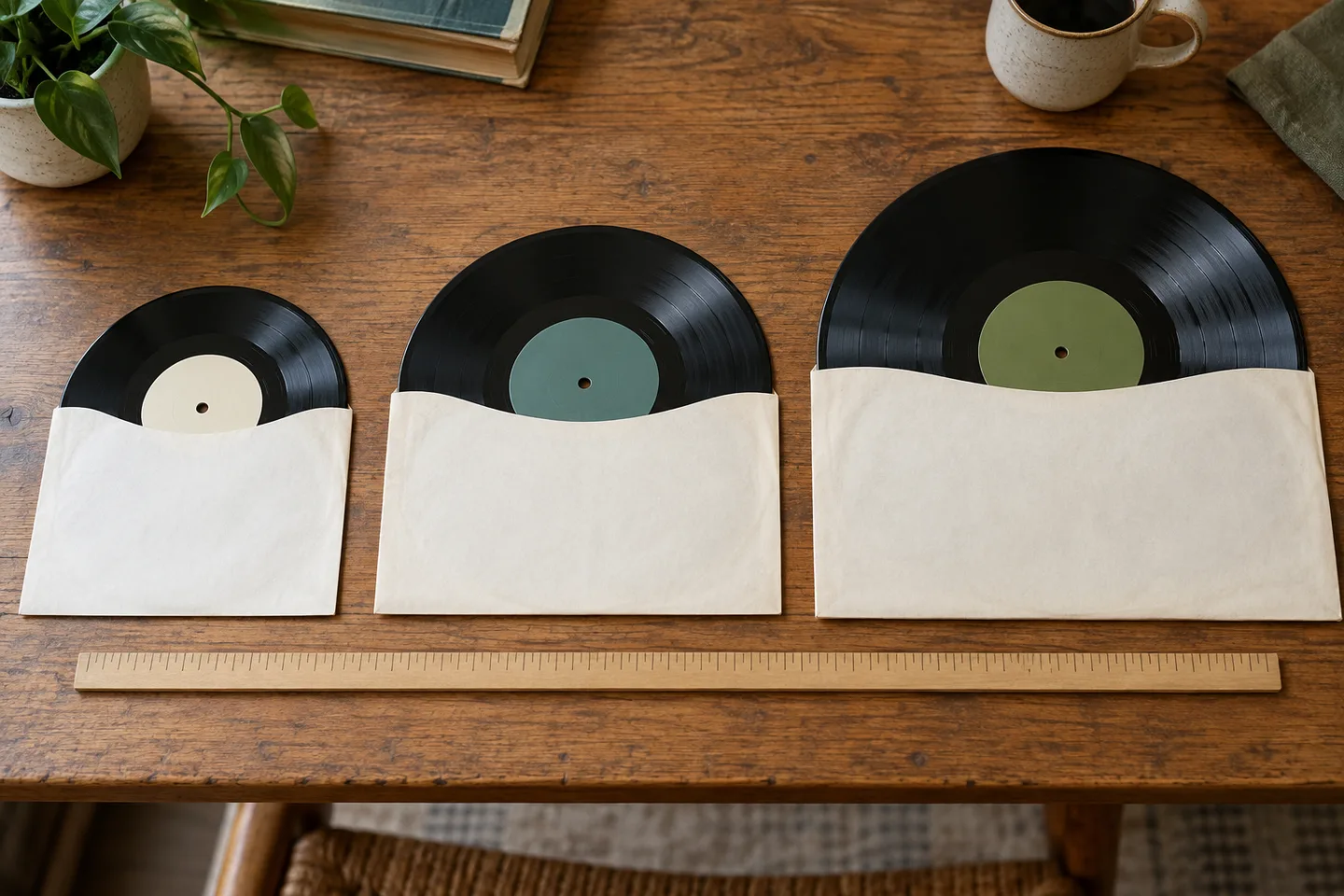
Measure across the disc in a straight line, edge to edge, without including a paper sleeve. Seven inches is about 18 cm, ten inches about 25 cm and twelve inches about 30 cm. Small manufacturing tolerances are normal. Use the label or catalog record if the edge is damaged, warped or hidden by a sleeve.
Do not infer speed from size. Many seven-inch records play at 45 rpm, but some play at 33⅓. Twelve-inch records commonly play at 33⅓, while 12-inch singles and dance releases often use 45 rpm. Read the center-label speed marking and confirm it against the release notes. A wrong speed can make the right identification sound wrong.
Read both labels and the complete track list
Photograph or transcribe both labels. Record the artist, title, label, catalog number, copyright line, speed and side designation. Compare the A- and B-side titles with a candidate listing. Check whether the record is one-sided, contains a locked groove or includes a different mix. A cover that says “single” may contain a radio edit, while a 12-inch may contain extended or instrumental mixes.
The Discogs general rules require the exact physical release when documenting an entry. The same principle helps your private catalog: a title and artwork alone are not enough. Keep the actual track sequence and catalog number with the record.
Use cover and label scans as candidates
Start with the clearest available surface. A cover photograph can locate an artist and title. A label photograph often separates similar sleeves by catalog number, speed or mix. If DiscSnap suggests a release, compare its format, disc count and track list with the item in your hand. The app’s public listings describe identification and collection saving; they do not promise automatic format disambiguation or a certainty score.
| Situation | Record as | Next check |
|---|---|---|
| 7-inch, two tracks, label says 45 | Single candidate | Confirm catalog and both labels |
| 10-inch, five tracks, speed unclear | Format candidate | Read the label and catalog notes |
| 12-inch with extended mixes | 12-inch single or EP candidate | Compare exact mix titles and runouts |
| Cover match, wrong disc count | Unresolved | Re-scan the label and inspect the sleeve |
| Sealed copy | Outer-package evidence only | Leave label, contents and runout unverified |
Compare runouts on sides A and B
The smooth area near the label may contain a matrix or runout inscription. Use a bright, angled light and transcribe what you can see without inventing characters. Compare both sides, including suffixes and mastering marks. A-1/B-1 and A-3/B-3 may indicate different cuts, but the code alone does not establish a first pressing, value or condition.
If the app suggests an LP while the label and track list show a two-track 7-inch, keep the record unresolved. Do not select a higher-priced result to make the catalog look complete. The matrix and dead-wax guide explains how to document uncertain inscriptions.
A worked, hypothetical example
Imagine a plain sleeve marked with an artist and title. Inside is a 12-inch disc. Side A lists an extended mix and side B lists an instrumental; the label says 45 rpm and the runout ends in A-2/B-2. A cover scan finds the album, but the album entry has ten tracks at 33⅓ rpm. The correct action is to reject that album match, search for the 12-inch single using the label and catalog number, and save the item only after both sides agree. This is a method example, not a claim about any particular release.
Before saving a format match
Ask these questions:
- Does the measured diameter agree with the candidate’s physical format?
- Does the label speed agree with the setting you will use on the turntable?
- Do both sides’ titles and mixes match?
- Does the catalog number appear on the label or sleeve?
- Are the runouts visible, and have you marked any unreadable characters?
- Is the sleeve original, reused or missing?
If one answer is unknown, save an editorial note such as “12-inch candidate; side-B runout unreadable.” Keep that status visible instead of turning an incomplete check into a confirmed pressing. For broader catalog organization, use the vinyl cataloging guide and the pressing verification guide.
Keep the distinction useful
Format helps you find the right record, choose the right playback speed and avoid duplicate entries. It does not tell you whether the copy sounds good, is valuable or is authentic. A 12-inch can be an album, EP, maxi-single or promotional release; a seven-inch can be a single or another short release. Let the physical evidence and documented track list decide.
You can explore DiscSnap on iPhone or Android for a candidate identification. Keep your own photographs and notes alongside the suggestion, and verify the record before adding it to a collection.
Prepared by the DiscSnap editorial team on 29 October 2026. Format explanations use the linked Discogs documentation; app capability wording is limited to the public store listings reviewed for this guide. The hero is a conceptual AI illustration, not a scan result.
A format check you can repeat
Use the same checklist for every uncertain small-format record. Measure the diameter only as a format clue; never infer speed from diameter alone. Read the label for 33, 45 or 78 markings, then compare the track list and the catalogue number on both sides. A 12-inch record may be a single, an EP or an album, while a 7-inch record can be a single or a promotional issue. Write the observed facts before you search.
When the cover and label disagree, photograph both and keep the item unverified. A store listing or database image may show a similar sleeve with a different label. Save the competing release links and state which detail is missing. This creates an auditable path for a collector who revisits the record months later.
For a batch of singles, use sleeves or dividers with stable IDs, keep discs upright, and count the physical copies against the inventory at the end. A scan can accelerate a candidate search, but it cannot prove that a 7-inch is the exact pressing or that every track belongs to the pictured release. Use the barcode guide when a barcode exists, and the pressing guide when matrix evidence is available.
What if the label and sleeve disagree?
Check the version of each song, too
A shared song title does not establish the same recording. A single may contain an edit, a live performance, an instrumental version or a different mix. Copy any version wording from both labels into your worksheet, and compare the printed duration when it is available. Treat duration as supporting evidence: rounding and printing errors can occur. If the sleeve names a radio edit but the label names an extended mix, photograph both and keep the discrepancy open instead of choosing the album entry because its artwork looks familiar.
Treat disagreement as evidence, not as a nuisance. Photograph the label on both sides, the sleeve front and back, and any company sleeve. Compare the catalogue number and track titles before assigning the cover to the disc. A common title may have several countries, years and formats that share artwork. If a label has no catalogue number, note that fact and use the matrix, copyright line and distributor text as secondary clues.
A small-format record can also be a promotional copy, a jukebox issue or a limited pressing. Those descriptions require evidence from the label, sleeve or reliable release documentation; they should not be inferred from colour or a missing picture sleeve. Keep a provisional description until the physical identifiers agree. This approach protects the inventory from a dramatic but unsupported label that will be difficult to correct later.